
Day one.
Plug it in and it makes the first move. Miky introduces itself, asks the questions it needs and sets itself up while you answer. One of the first things it asks is to pair it with the app on your phone, because pairing is what ties it to you: from then on, you're the only one who can get into Miky.
- 01Plug it in
You need a corner with an outlet and your home network. As soon as it has power, Miky switches on and speaks first. The first move isn't yours to make.
- 02It leads, you answer
Miky asks the questions, one at a time, and you answer out loud, the way you'd answer a person. When it's time to connect your email and calendar, it walks you through it.
- 03Pair it with the app
Miky asks you to open the app on your phone and pair it, and from then on access is yours and no one else's. In the app you see what it has done, and tighten or loosen the limits whenever you like.
To guide you by voice, Miky listens from the moment you switch it on. You turn the microphone and speaker off in the app, and once they're off they stay off until you turn them back on.
It asks. You decide.
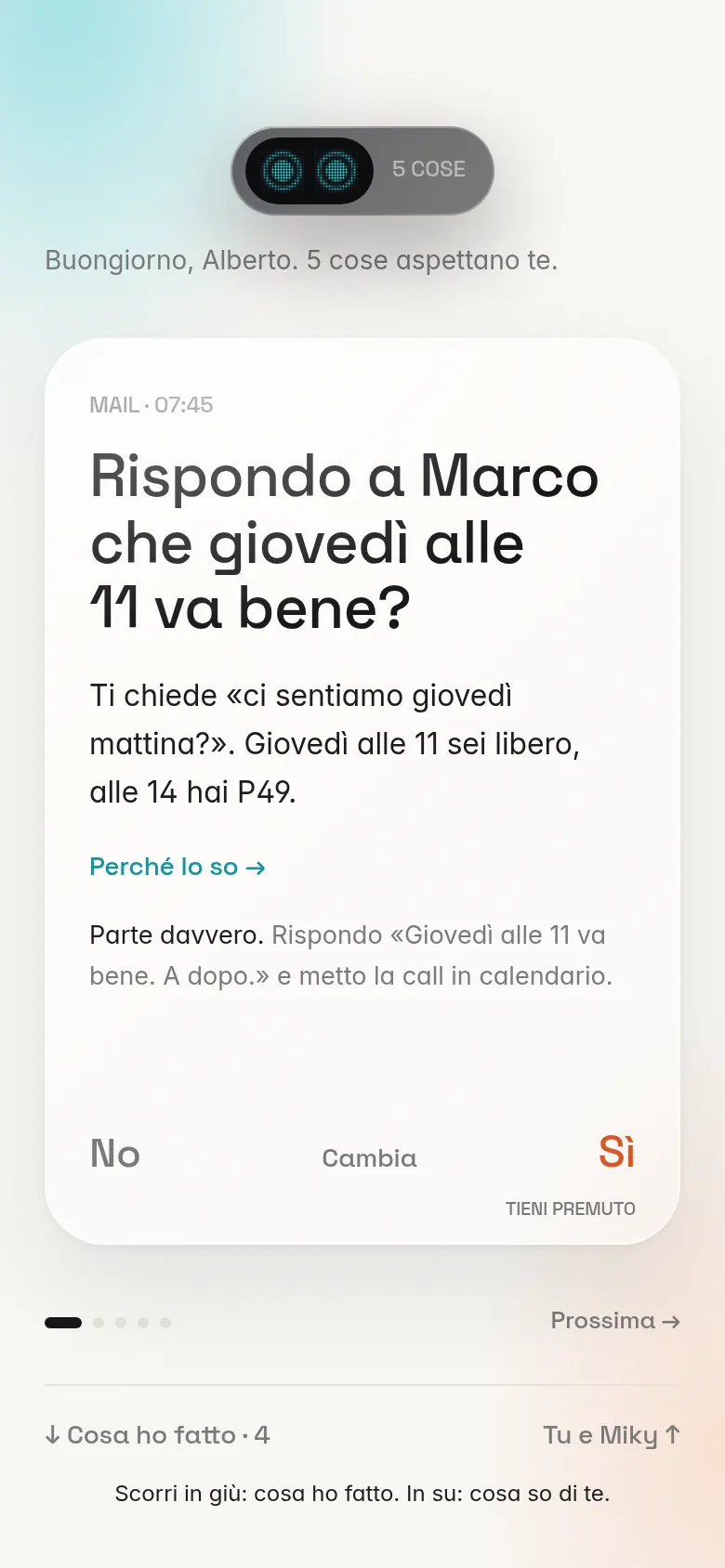
When something matters, Miky puts it in front of you, written the way you'd say it, and then waits. Nothing happens until you answer.
Miky App screen, with sample data.
Connects to what you already use.
Sign in with the accounts you already have. The list grows with updates.
Gmail, iCloud Mail, Google Calendar, WhatsApp, Telegram, Signal, Messenger, PayPal, Google Drive, Dropbox, Zoom, Google Meet, Notion, Booking.com, Airbnb, Google Maps, Ryanair, Spotify, Netflix, Just Eat, Glovo, Deliveroo, Philips Hue, Google Home
One thing at a time.
In front of you there's a single proposal, the one waiting for you. Everything else Miky has already done, and you'll find it further down whenever you feel like looking.
- 01At the top, a line that says how many things it has done and how many are waiting for you.
- 02In the middle, the proposal, with its reason and what happens if you say yes.
- 03At the bottom, your answers. Yes has to be held down.
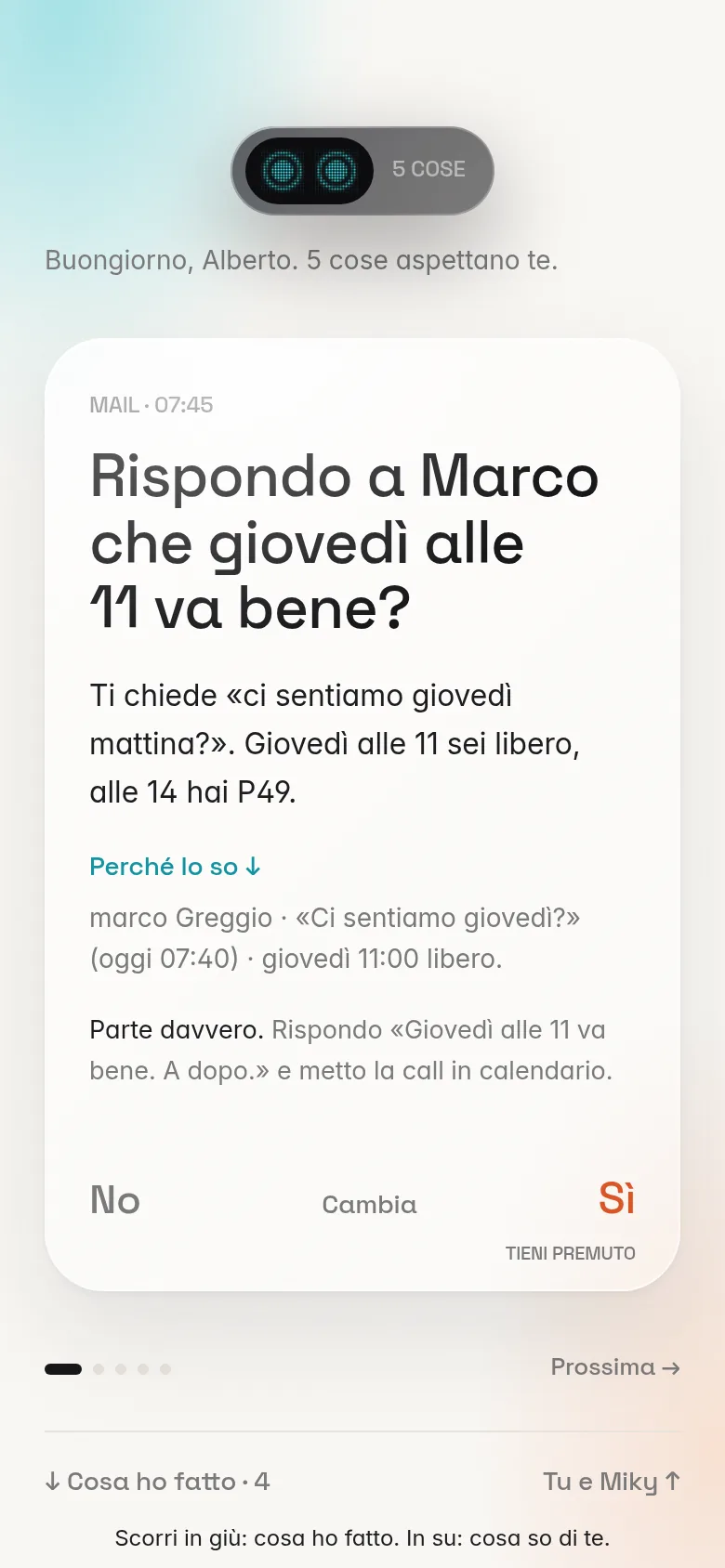
How I know.
Every proposal opens up to show where it came from: the email that started it and the free time it found in your calendar. If the reason doesn't convince you, the proposal stops there.
Several Mikys, coordinating with each other.
What it does as soon as you switch it on.
Three jobs, right away. More arrive with updates, without you lifting a finger.
- EmailReads what comes in, answers the things that keep coming up, and calls on you when it needs your say.
- PhoneMakes and takes calls for you when the person on the other end doesn't read email.
- CalendarFinds the free time, moves what needs moving and tells whoever needs to know.
